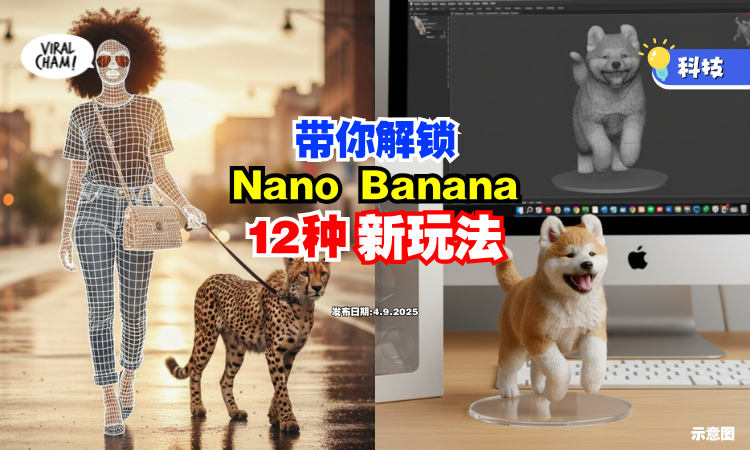
前几天爆火的 3D 公仔大家有没有玩过?
其实 Nano Banana 不止这一种玩法哦!今天就让小编带你解锁更多新花样吧!
解锁新玩法,免费指令一次看
根据 e-zone 报道,Google 推出的生成式 AI 工具 Nano Banana,凭着超强功能瞬间刷爆科技圈。除了能做出超逼真的 3D 模型照片,它竟然还暗藏 12 种超乎想像的玩法,让你随手就能变成影像创作达人!
更爽的是,这些功能只要输入简单指令就能搞定,重点是——完全免费!
这些功能只需简单指令,即可快速实现,而且全都是免费的哦!
1. 3D 模型公仔
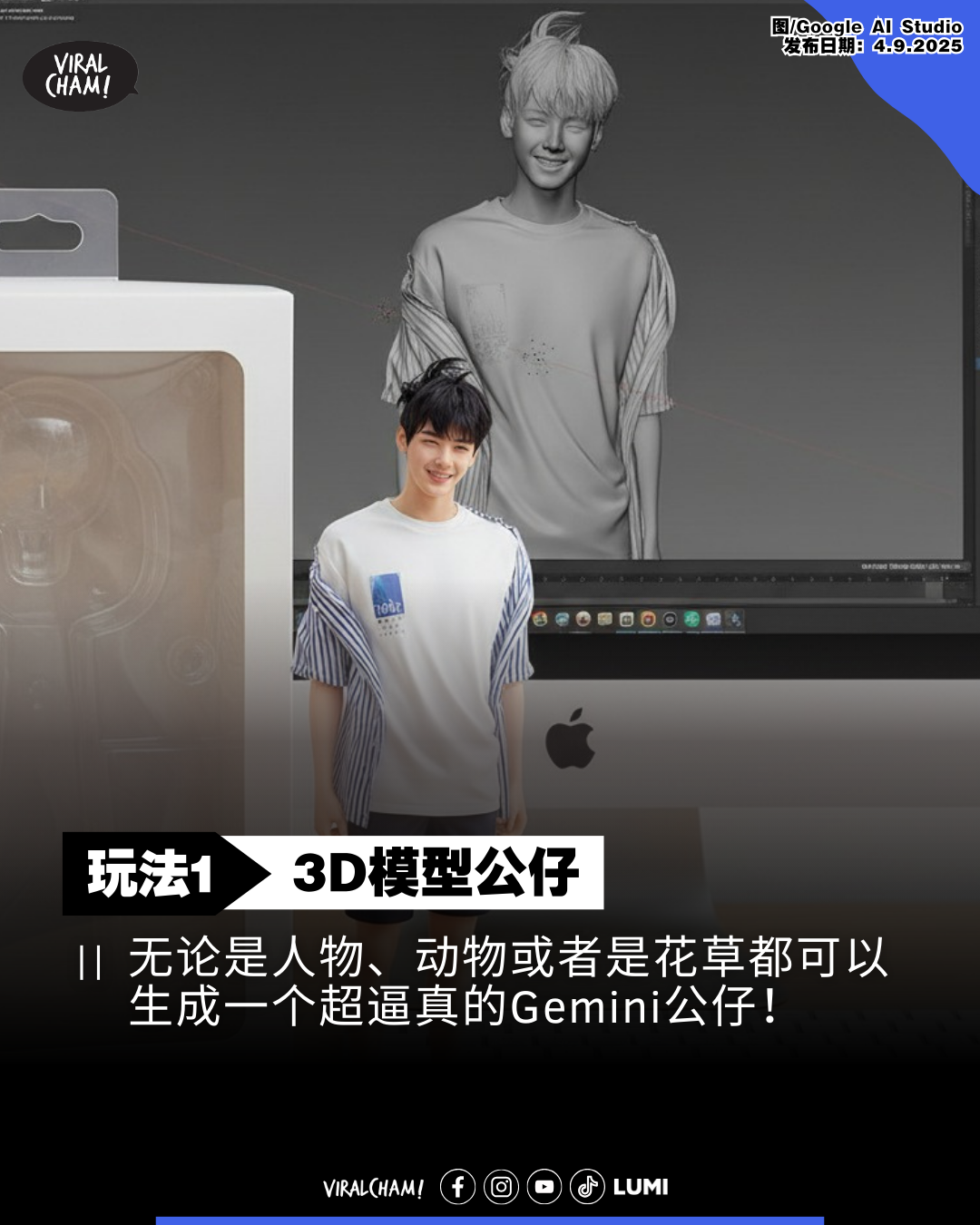
中文指令:
将插画中的人物塑造为一款七分之一比例的量产级人偶模型,以写实主义风格呈现,置身于逼真的场景中。该手办被摆放在一张电脑桌上,其底座采用不带任何文字的圆形透明亚克力材质。电脑荧幕上显示著这款模型在 ZBrush 软体中的建模过程。在荧幕旁,陈列一个印有原始插画的万代(BANDAI)风格玩具包装盒。
英文指令(优化版):
Medium shot photograph of a hyper-detailed, realistic 1/7 scale action figure of the character from the provided illustration, posed dynamically on a computer desk. The posture, clothing, and bike are exactly as in the photo.
The figure stands on a circular, crystal-clear acrylic base (no text or logos).
A modern computer desk. On the left side of the desk, a monitor screen vividly displays the ZBrush software interface, showing the 3D model of the same figure in a mid-sculpting phase (visible wireframe and clay renders).
Background, on the right side of the desk: A BANDAI-style window box packaging with a vinyl window see-through the figure. The box is pristine and features high-quality print of the original character artwork on the front. The box is slightly angled to show its 3D form. studio-quality lighting with soft shadows, extremely high detail, depth of field. The environment should feel like a collector”s personal workspace.
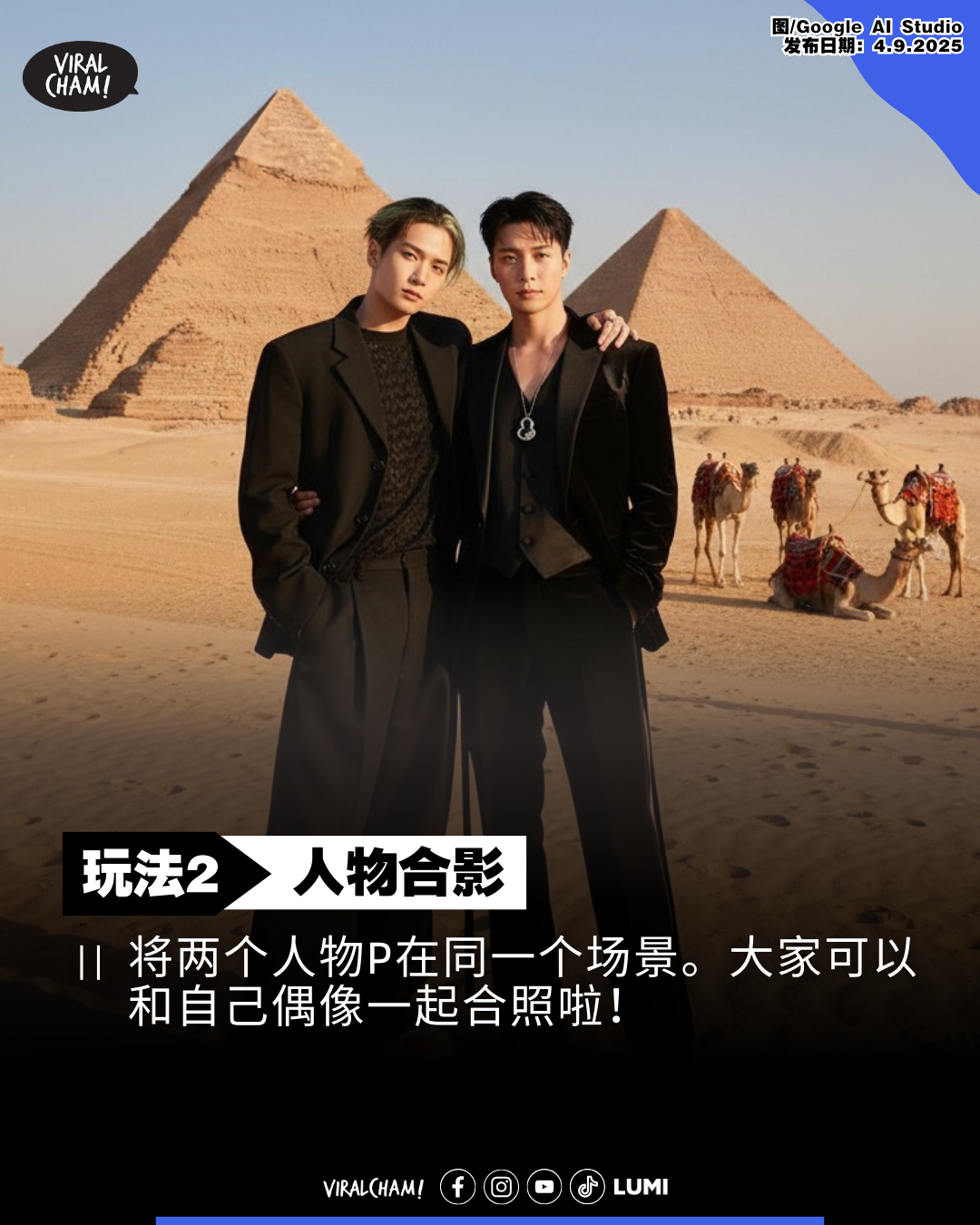
2. 人物合影
中文指令:
将图片中的两个人物无缝整合到一张高品质、逼真的照片中。他们在沙漠上摆姿势,背景有金字塔、骆驼等沙漠元素。两人相互搂著腰部。这张照片应呈现出写实风格,人物外观需保持高度一致性,且画面中不应包含任何文字。
英文指令:
Two figures from the image are seamlessly integrated into a single, high-quality, realistic photograph. They are posing on a desert with a giant pyramid, camels, and other desertic elements in the background. Both individuals have their arms around each other”s waists. The image should be photorealistic, consistent in character appearance, and free of any text.
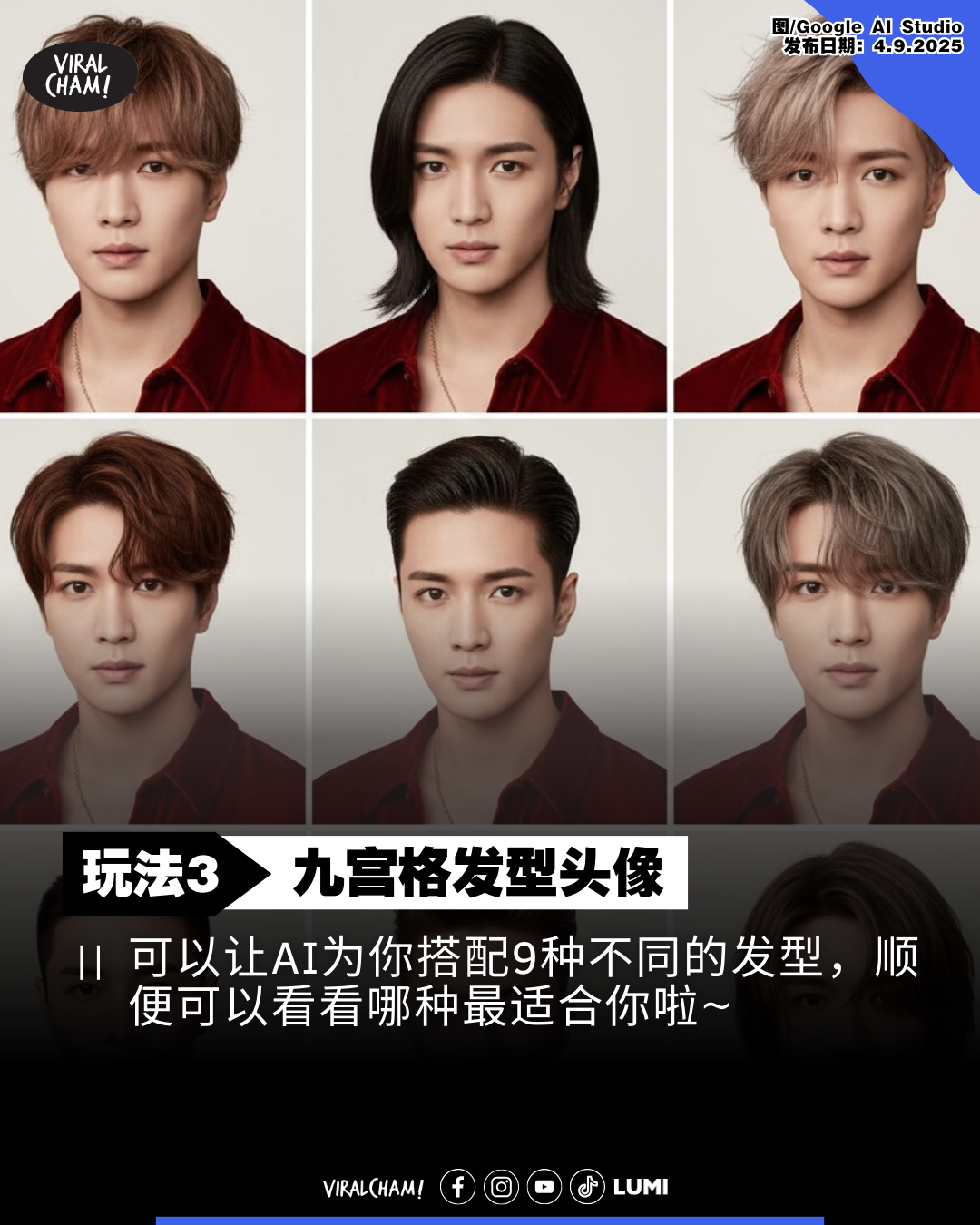
3. 九宫格发型头像
中文指令:
为照片中的人物创作 9 款不同发型的肖像照,在人物五官和服装保持不变的前提下,特写展示其搭配日系、韩式、美式三种风格发型的效果,并以九宫格布局集中呈现。
英文指令:
Generate nine distinct portrait headshots of the person from the source image, maintaining consistent facial features and attire. Each headshot should feature a different hairstyle, including variations inspired by Japanese, Korean, and American styles. Present the results as a single 3×3 grid collage of close-up images.
4. 替换图片元素
中文指令:
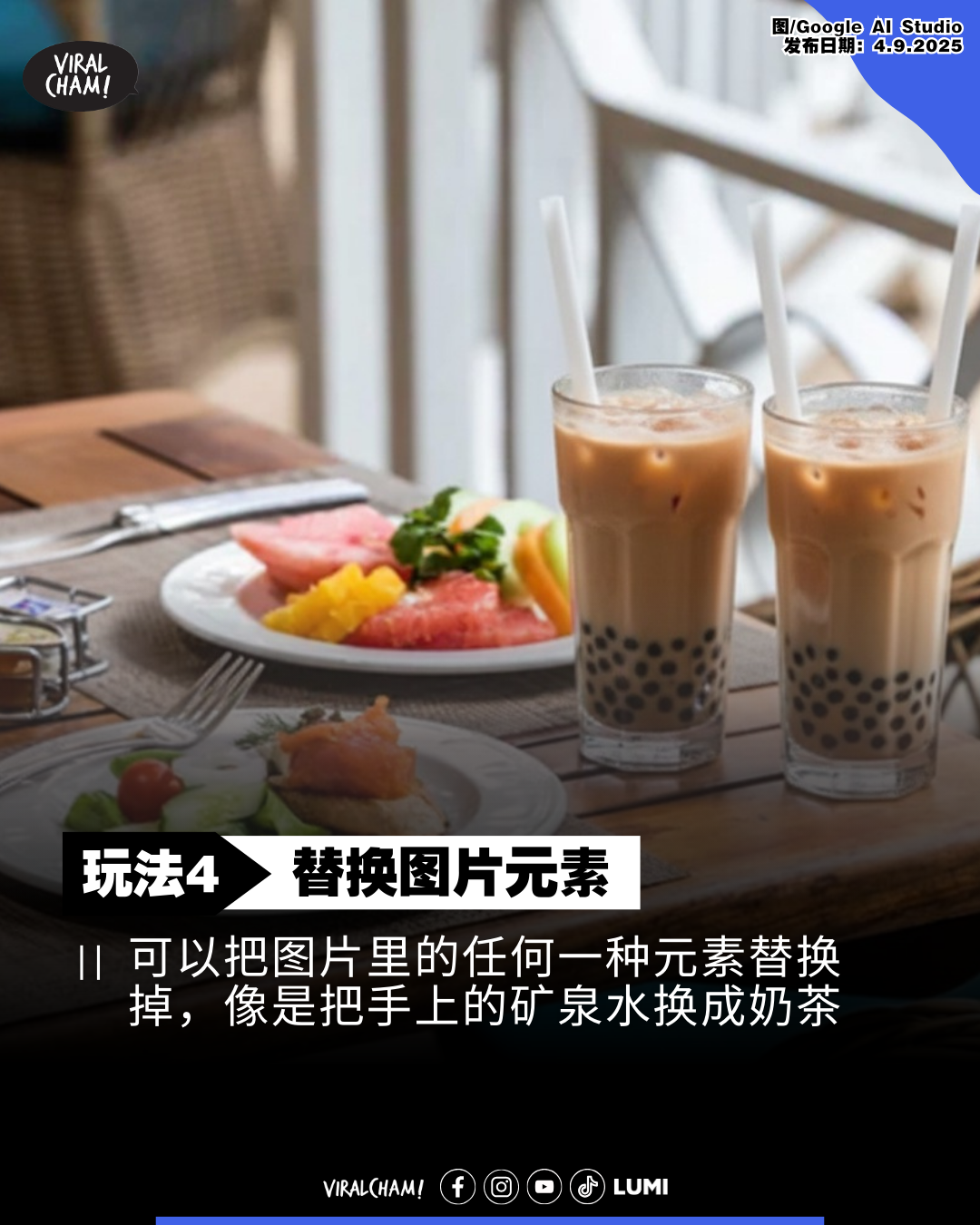
在现有图像基础上,把图片里的饮料换成奶茶。请务必保持画面中所有原有元素,包括食物、环境及摆设等,完全不变,实现极高的一致性。
英文指令:
Based on the existing image, replace the drink in the picture with milk tea. Be sure to keep all the original elements in the picture, including the food, environment, and furnishings, completely unchanged to achieve a high degree of consistency.
5. 建筑物模型
中文指令:
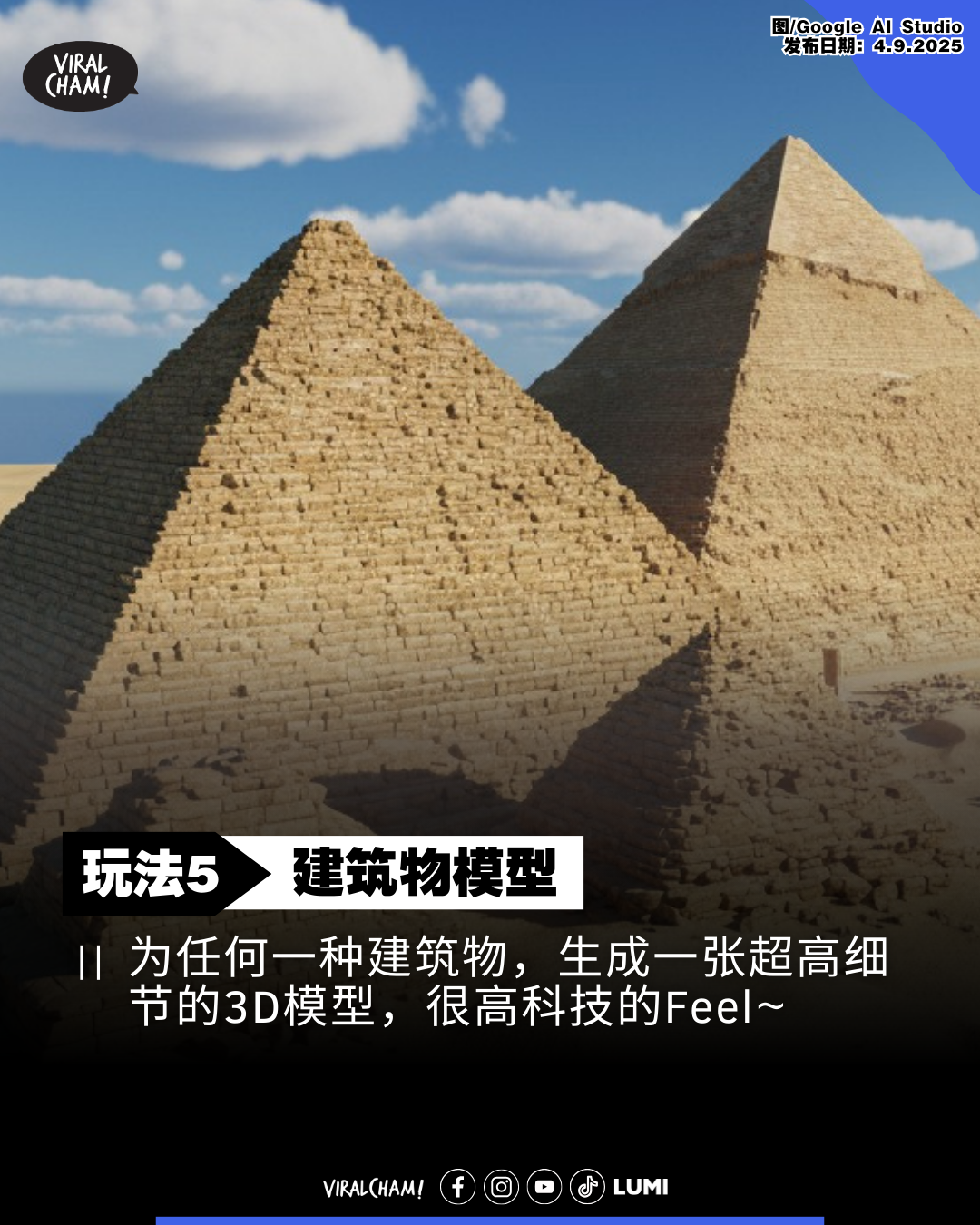
基于这张建筑摄影图,打造一个 Cities: Skylines 风格的超高细节 3D 建筑模型。整体视觉需具备写实感,同时保留原建筑的主体结构与材质细节,并融入游戏特有的风格化处理。请著重呈现逼真的光影效果,并以 45 度角俯视视角来凸显建筑的立体维度。材质细节,例如玻璃的反射效果和金属的纹理感,都必须清晰可见。最终成果应达到高品质 3D 渲染图水准,可直接用于游戏引擎。
英文指令:
Using this architectural photograph as a reference, create a high-fidelity 3D building model in the style of “Cities: Skylines.” The overall look should be photorealistic, while still maintaining the game”s characteristic aesthetic. Preserve the main structural elements and material specifics of the original building. Emphasize realistic lighting and shadow effects. Use a 45-degree overhead perspective to showcase the building”s three-dimensional form. Material textures, such as the reflectivity of glass and the tactile feel of metal, must be clearly defined. The final result should resemble a high-quality 3D render, suitable for direct use in a game engine.
6. 多机位生成
中文指令:
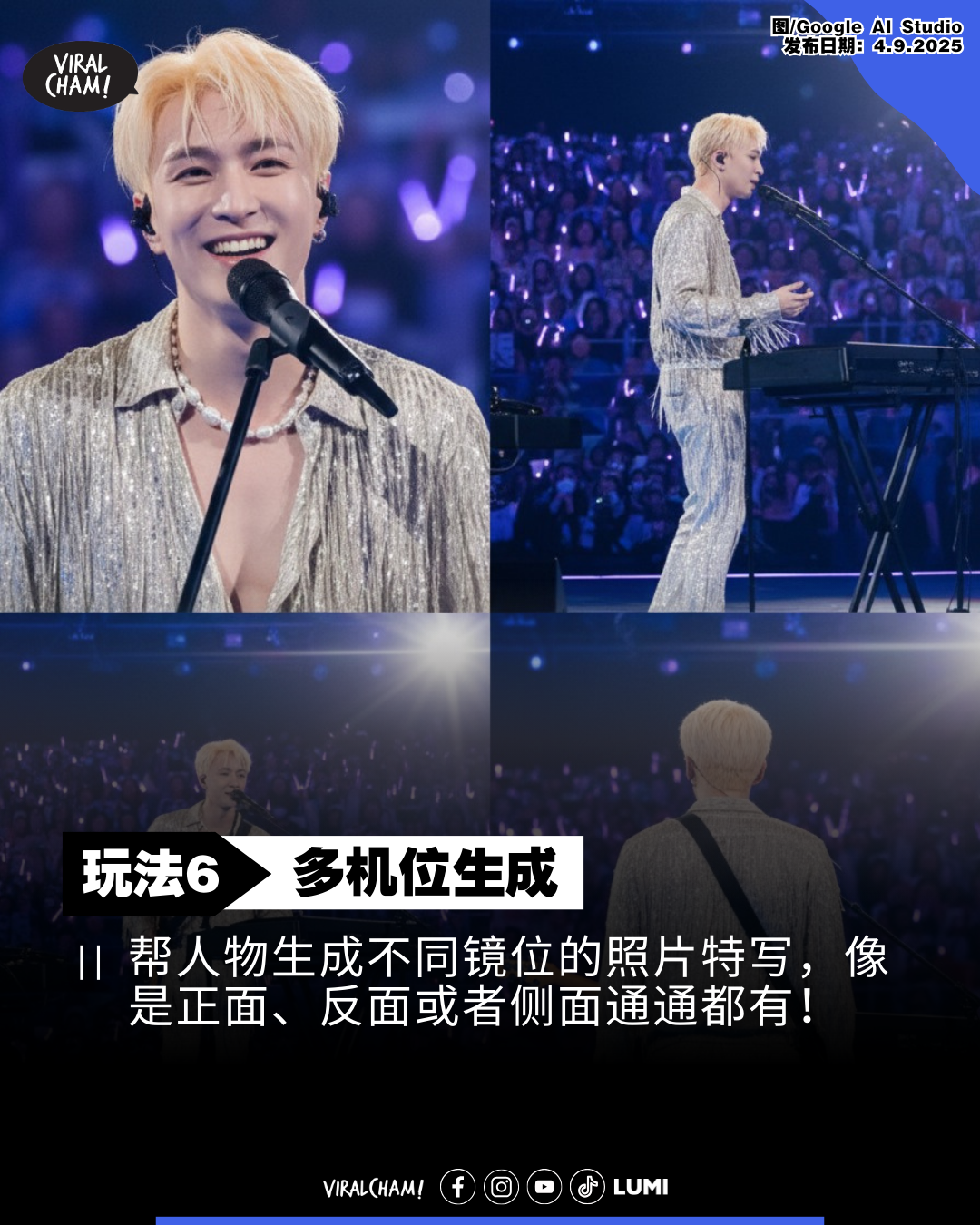
基于这张图片,生成四种不同镜位的人像照片:正面特写、侧面全身、远景全身及背影全身。将这些镜头无缝整合于单一画作中,确保人物特征高度统一,营造出连续电影镜头般的叙事感。
英文指令:
From this image, create a series of four multi-angle shots: a frontal close-up, a side-profile view, a full-body long shot, and a back view. Combine these perspectives into a single composite image, ensuring impeccable character consistency to produce a sequence with a continuous narrative feel.
7. 多图融合
中文指令:
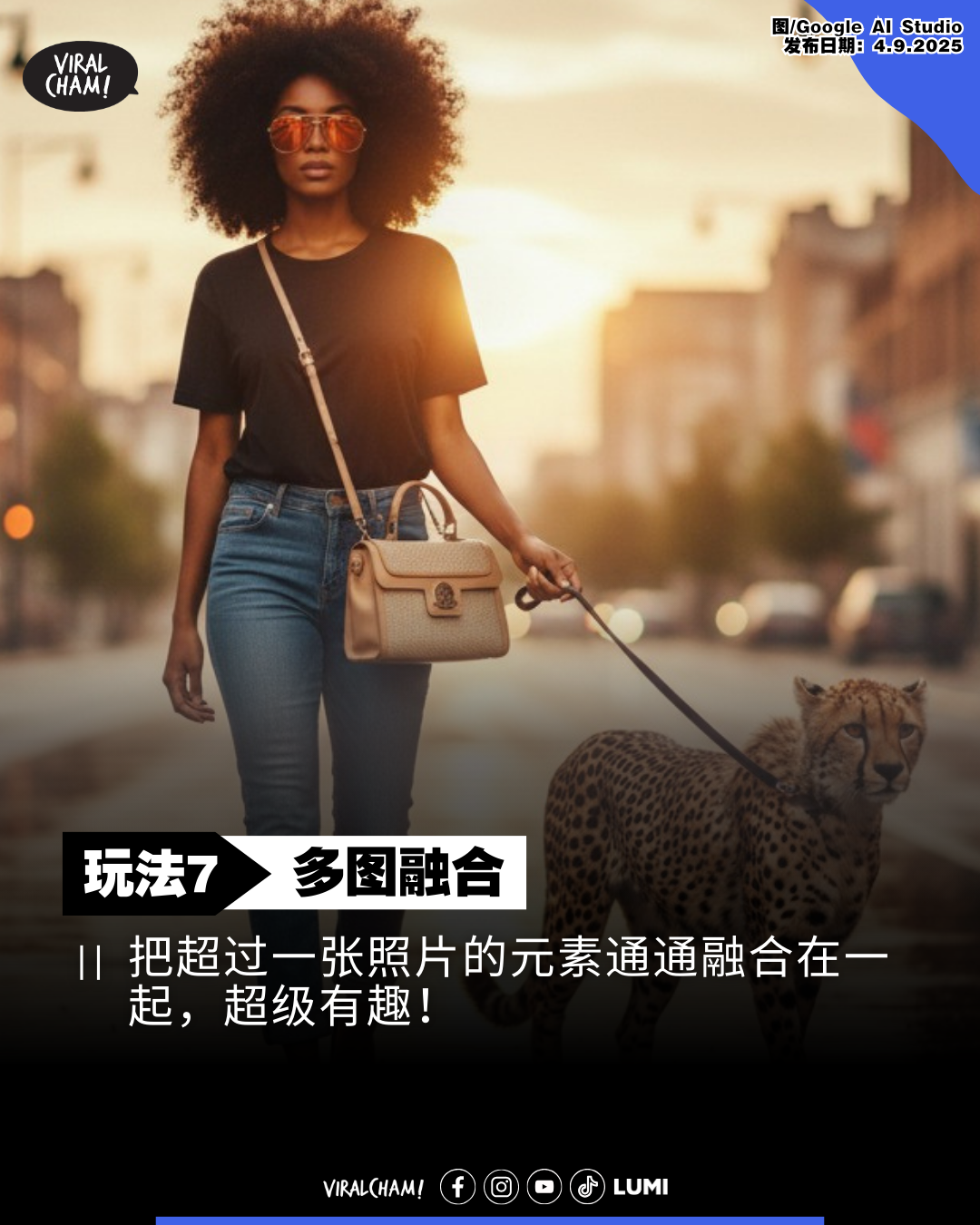
创作一张将所有上传图片内容融汇于一体的合成影像。画面中的女子作为核心人物,身穿那条独特设计的牛仔裤、配戴那款造型墨镜、肩背那只手袋,并牵引著猎豹,置身于雨后城市的街景中。确保人物与所有元素无缝衔接,光线与阴影效果高度协调,且所有物体的尺寸比例精准无误。
英文指令:
Compose a single image by blending the elements from the uploaded photos. The woman should be the central figure, wearing the provided jeans and sunglasses, carrying the handbag, and leading the cheetah through the rainy street scene. Ensure perfect integration of the subject and all elements, maintaining consistent lighting, shadows, and accurate scale across the entire composition.
8. 3D 维度网格图
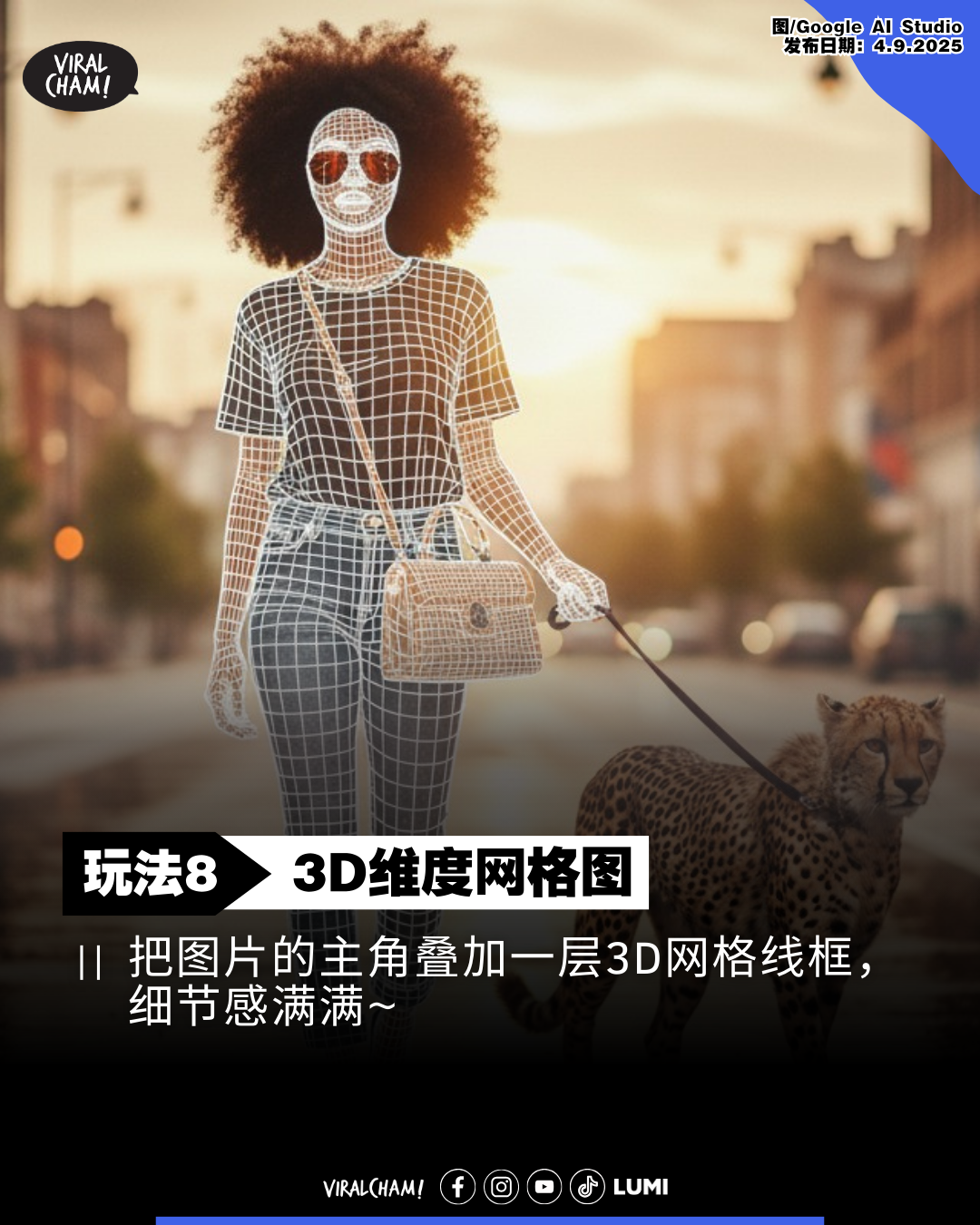
中文指令:
在角色模型表面叠加一层 3D 网格线框,使其精准地贴合并映射出服装的所有褶皱、纹理与精微细节。
英文指令:
Overlay a 3D wireframe mesh onto the character model, ensuring it precisely conforms to and accentuates every crease, fold, and intricate detail of the clothing.
9. 黑白照片变彩色
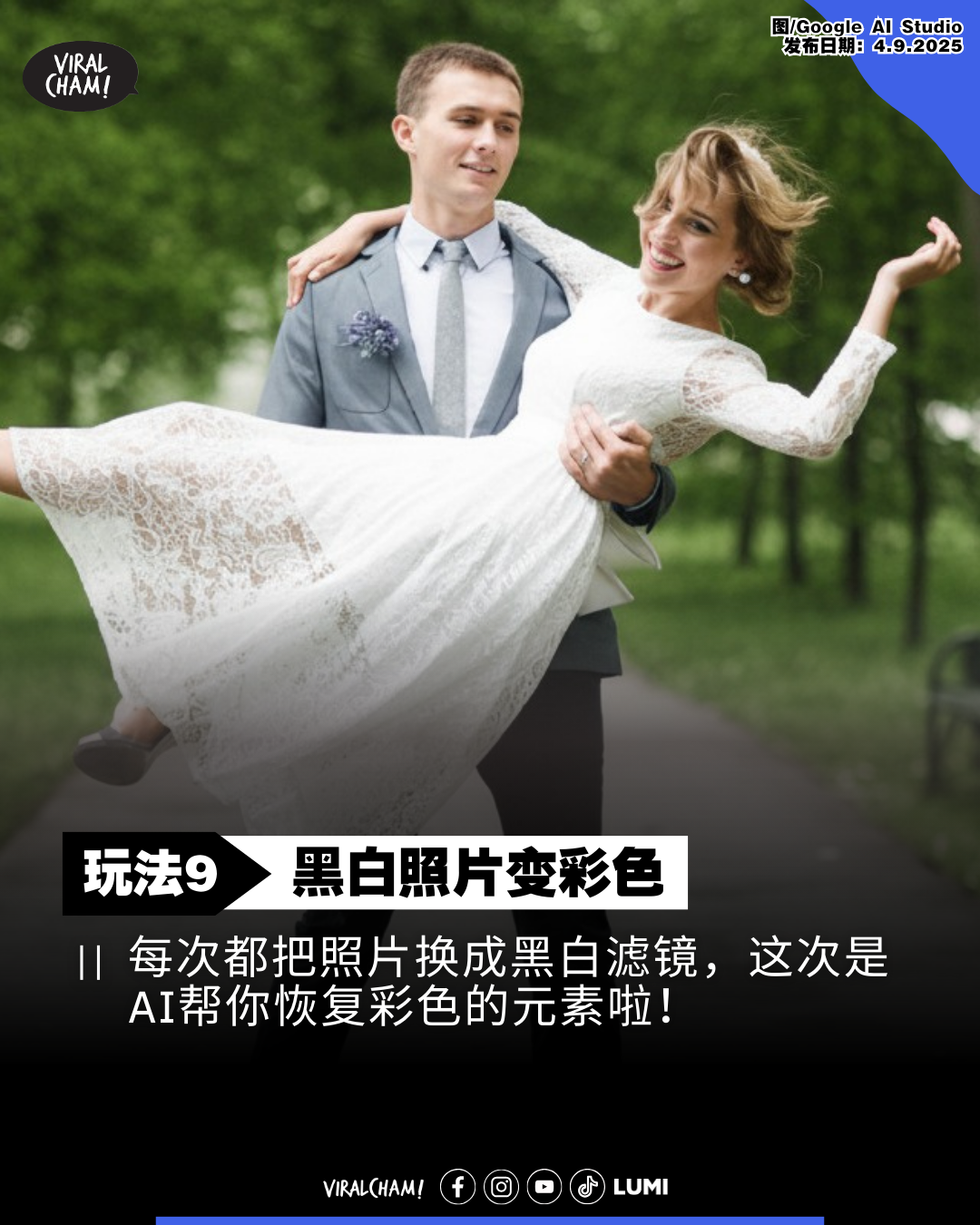
中文指令:
将此图像进行色彩复原处理,使其从原始黑白或单色状态转变为全彩影像。
英文指令:
Colorize this photograph, transforming its original monochromatic or grayscale appearance into a full-spectrum, vibrant image.
10. 物体标註
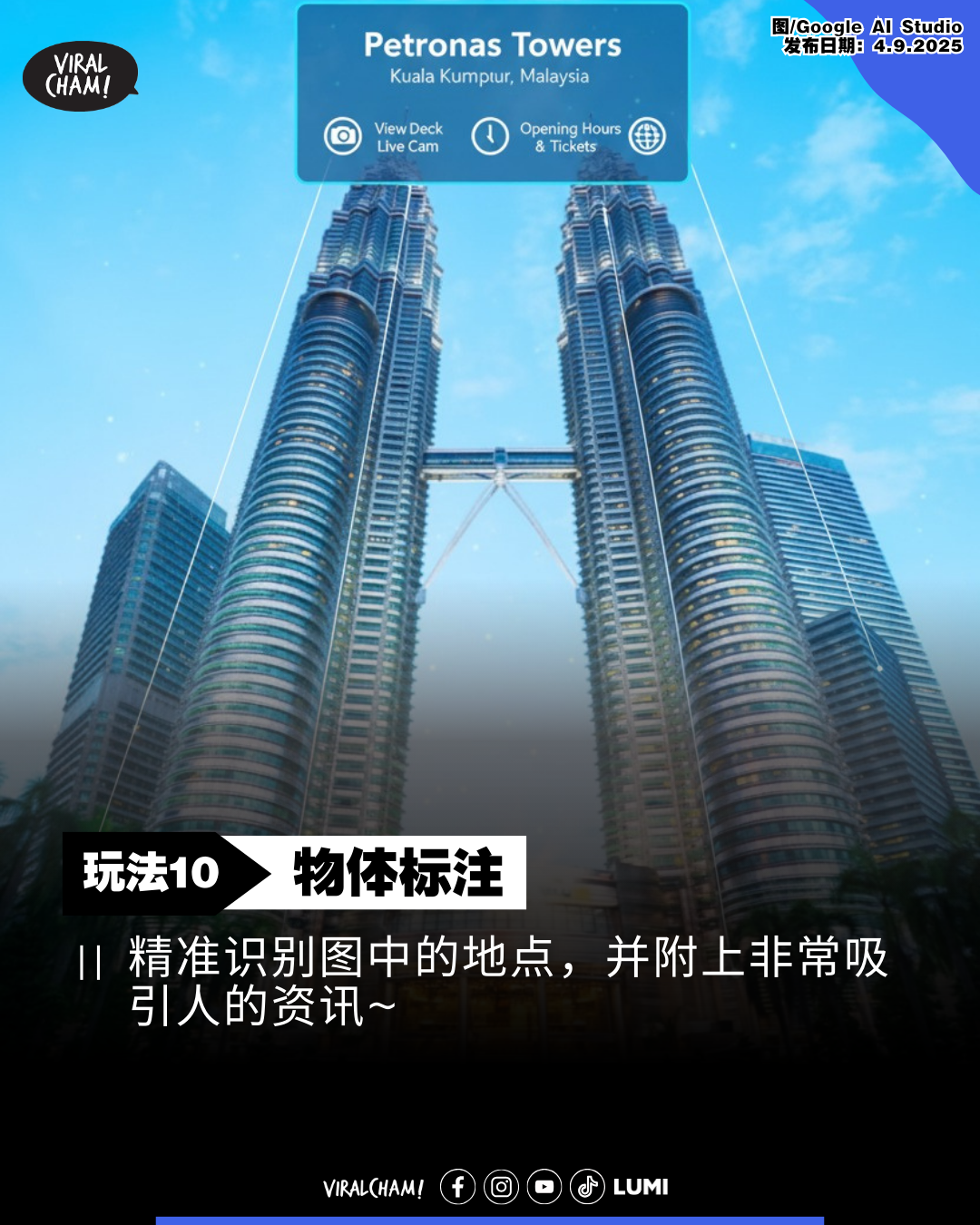
中文指令:
作为一位基于地理位置的 AR 体验创作者,请在这张图片中精准识别马来西亚双峰塔(Petronas Tower, Kuala Lumpur, Malaysia),并在其上方叠加精确、引人入胜的註释与互动资讯。
英文指令:
Acting as a location-based AR experience creator, accurately identify Petronas Tower, Kuala Lumpur, Malaysia within this image and overlay it with a set of precise, compelling, and informative annotations and interactive elements.
11. 生成今日OOTD
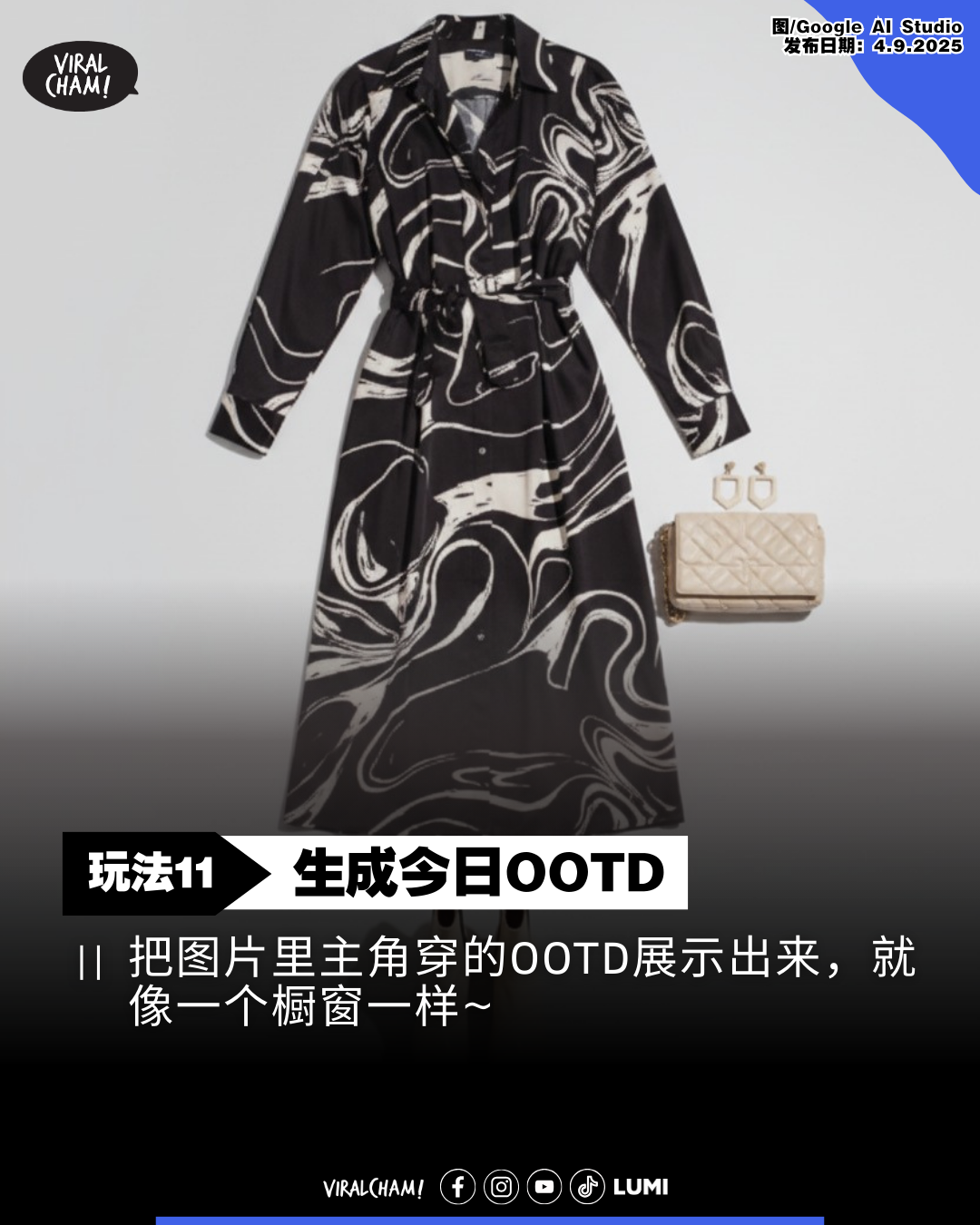
中文指令:
创作一张平铺摄影作品,集中展示照片中所有衣物单品的平面配置图。
英文指令:
Produce a top-down arrangement of every garment featured in the image, presented as a flat lay still life.
12. 一键修图
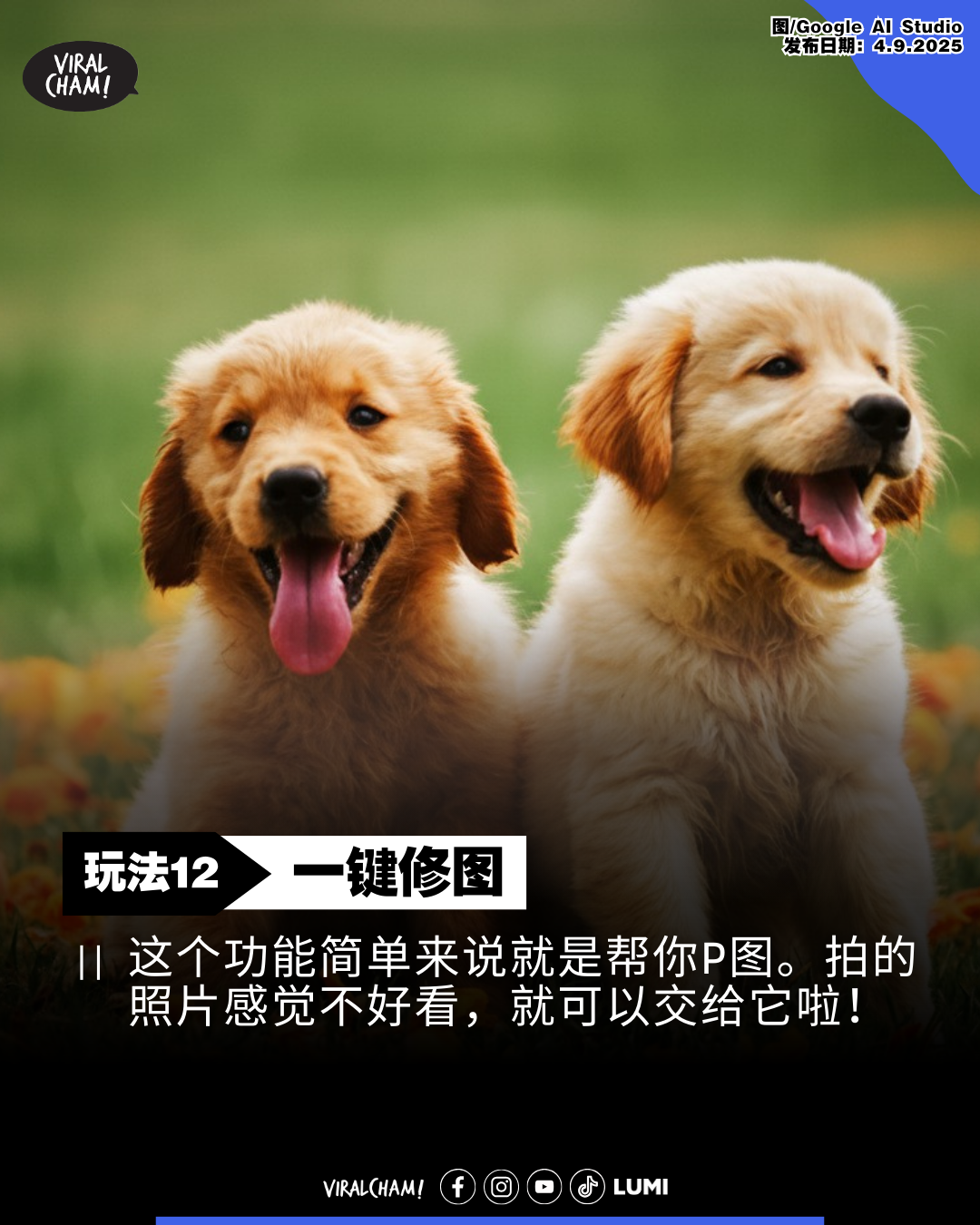
中文指令:
这张照片显得平淡无奇,请对其进行显著增强!通过提升对比度、加强色彩饱和度,并优化照明效果,使其画面更具层次感和丰富性。你可以适当地裁剪并移除任何影响整体构图的冗余细节。
英文指令:
This image appears rather uninspired and unexciting. Please proceed to significantly elevate its visual impact! Achieve this by intensifying the contrast, boosting the vibrancy of the colors, and refining the overall illumination to create a richer, more dynamic scene. Feel free to judiciously crop and eliminate any extraneous elements that detract from the composition.
是不是很好玩呢!当然,你也不需要跟足以上的指令,可以发挥创意修改指令生成属于你自己的图片啦!不过,需要提醒大家的是,玩法仅供娱乐,千万不要滥用AI做坏事哦~
-以上资料&图片来源由Viralcham 小编整理报导-
Like Viralcham Facebook!不出门也能知天下事~~(请点我)
更多文章: